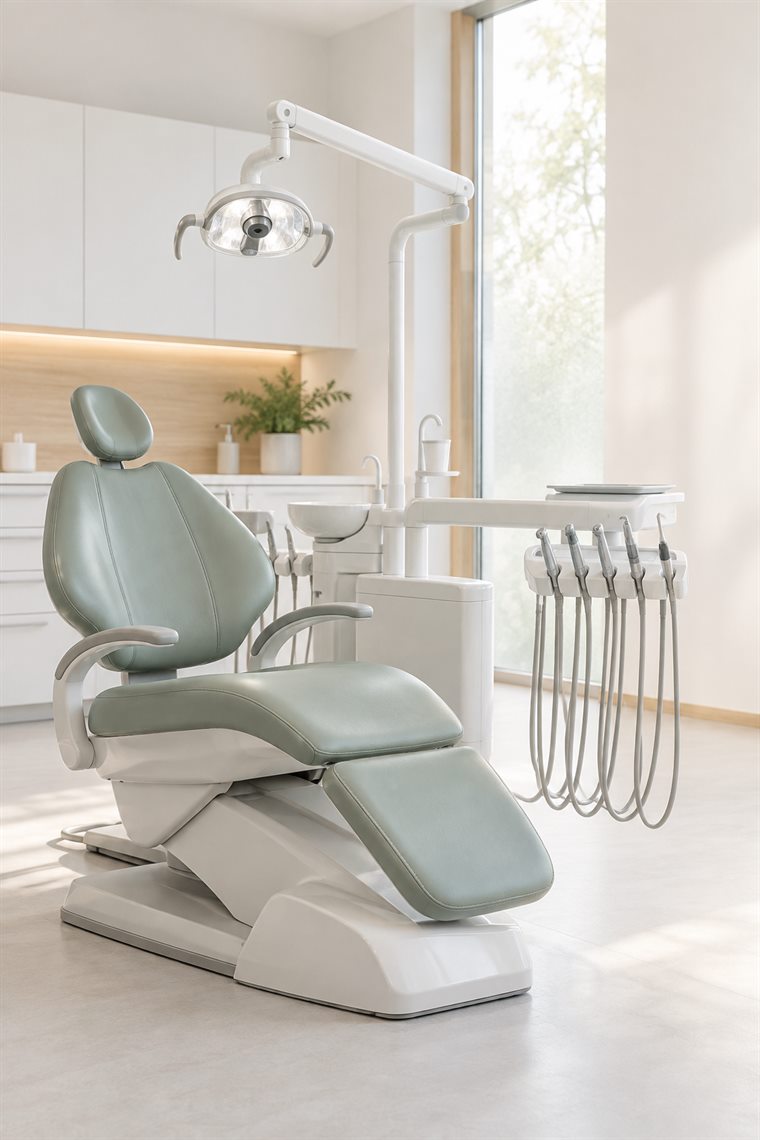
Dental software that runs your whole clinic
Schedule, patient charts, treatment, payments, lab and inventory — all connected. Every team member sees exactly what they need, and every action leaves a trace.
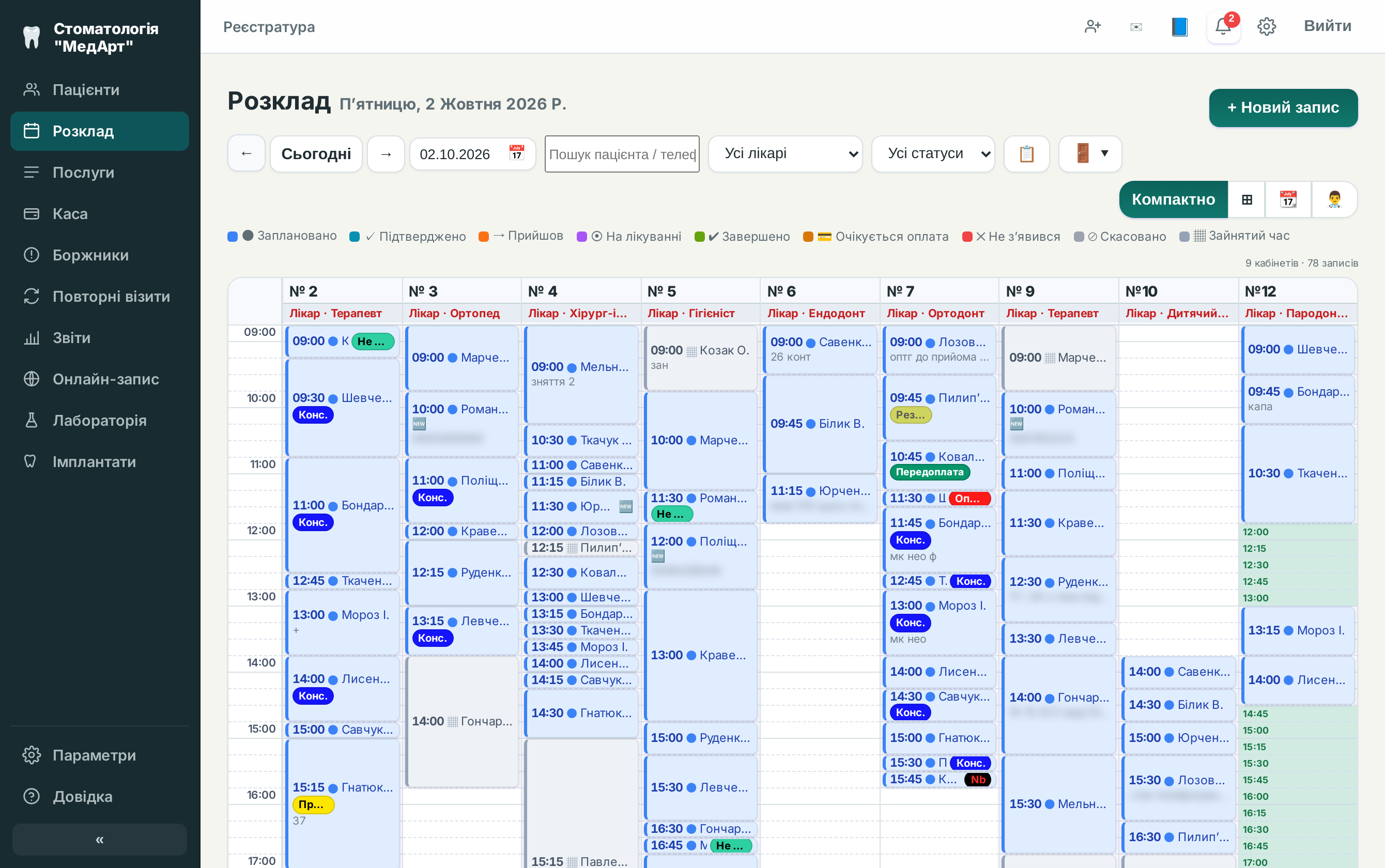
Rooms, chairs, doctor shifts and appointments — by day and by week.
Medical records, dental chart, treatment plans, X-rays.
Invoices, payments, prepayments, debtors and cash shifts.
Everyone sees only their own work, and every action leaves a trace.
From booking to reports — no paper, no extra software
Modules work as one: a visit creates an invoice, a treatment plan sets stages and amounts, a lab order notifies the technician.

The clinic's day on one screen
Appointments by room and chair, doctor shifts, new patients and blocked time. A warning if an appointment falls outside the doctor's shift.
- Day and week views, other doctors' appointments side by side
- Statuses: arrived, in treatment, paid, no-show
- History of every appointment: who created, moved or cancelled it
- Print the schedule to Word
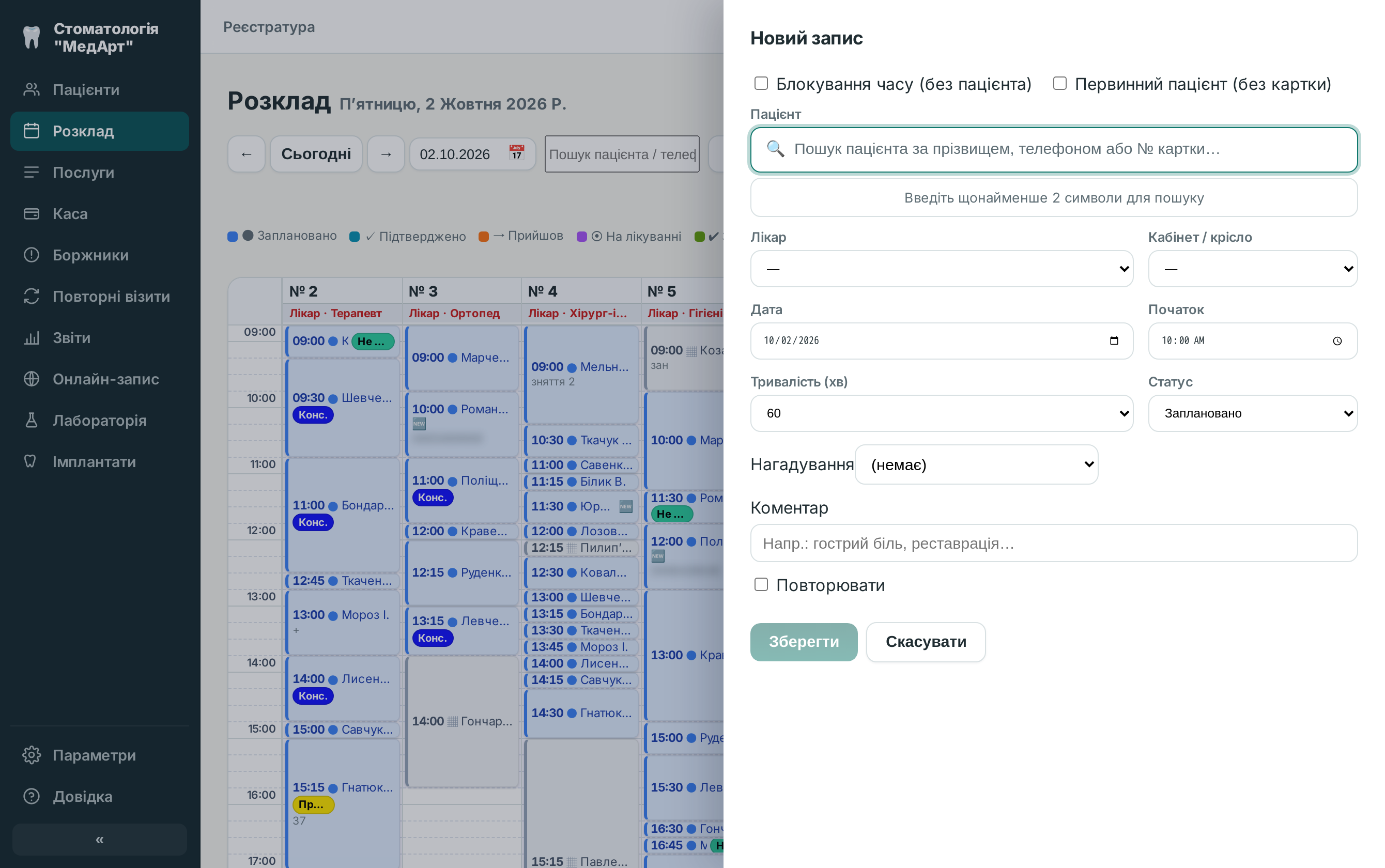
The patient's full history in one chart
From the first call to a completed treatment plan: medical records, diagnoses, visit services, dental chart for permanent and primary teeth.
- Treatment plans with stages and amounts
- X-rays, CT (DICOM), photos and files
- Allergies, consents, contacts, key notes
- Documents and prescriptions from templates
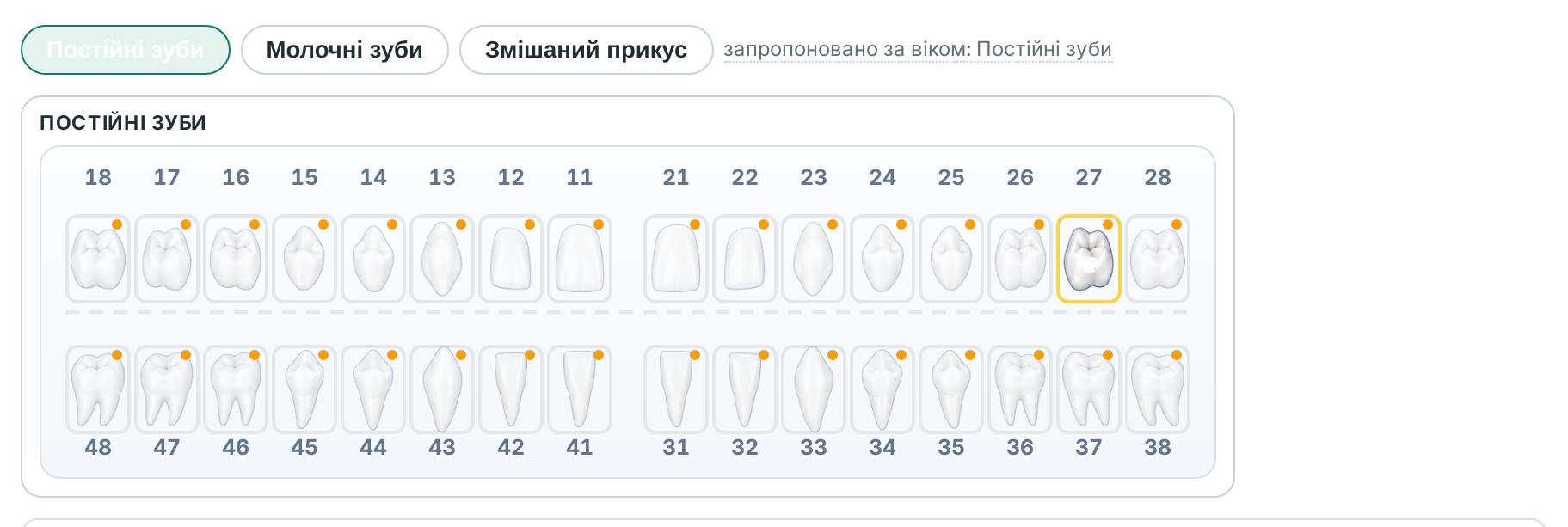
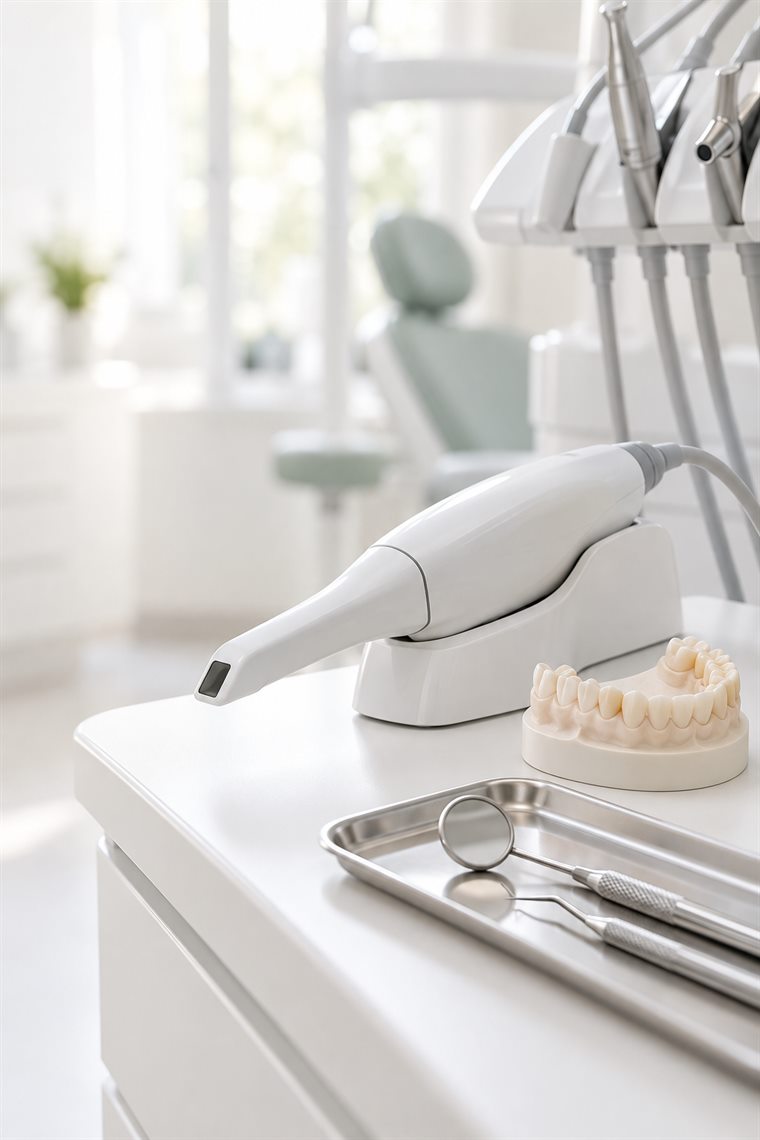
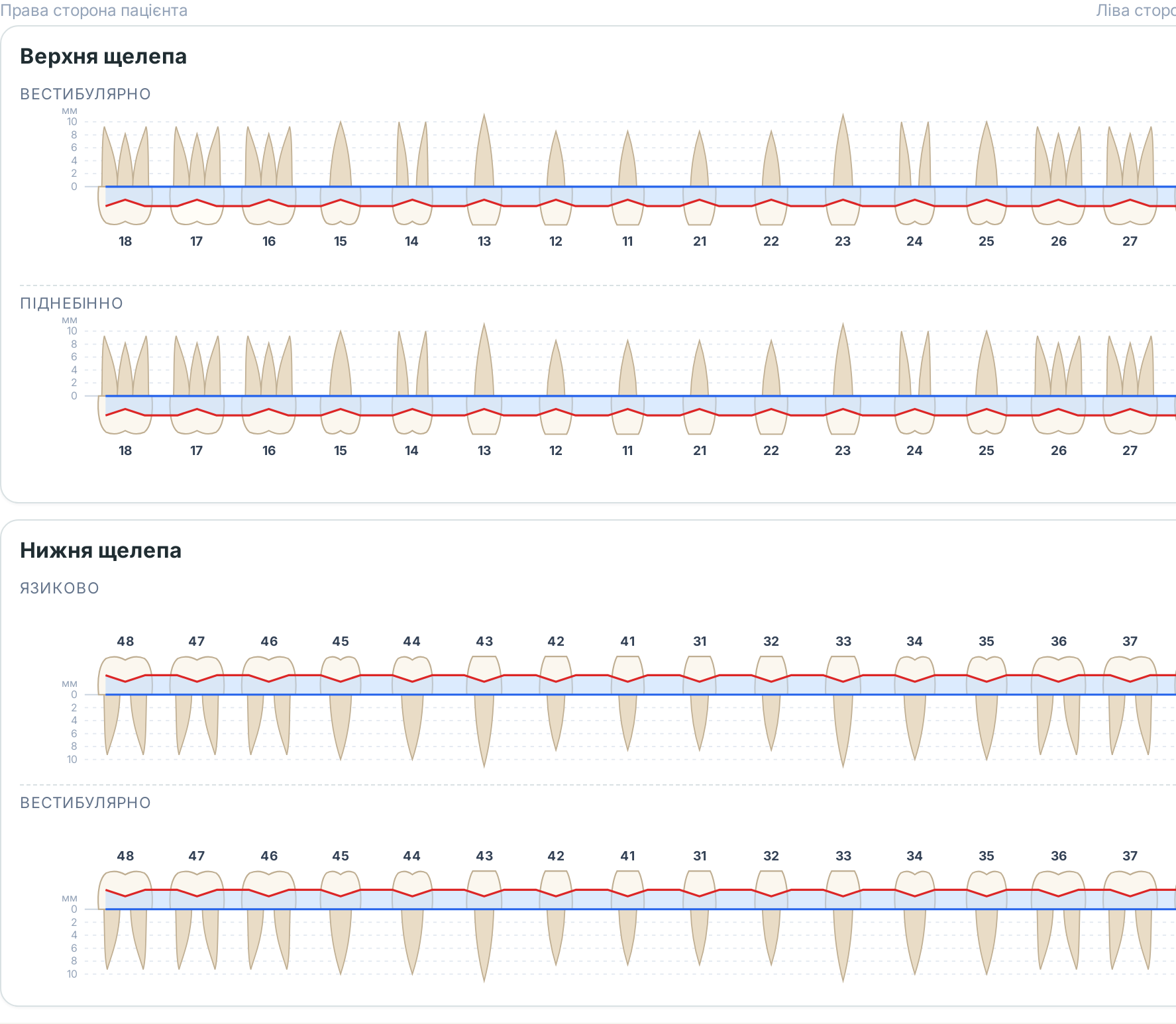
Visual diagnostics: X-rays, CT and periodontal chart
All patient diagnostics in a timeline, right next to treatment: panoramic and periapical X-rays, CT in DICOM, STL scans and photos — plus a graphical periodontal chart showing gum condition for every tooth.
- Periodontal chart — a graphical map of periodontal health (our own design)
- View panoramic and periapical X-rays and CT slices (DICOM)
- Visit files: DICOM from the CT scanner, STL scans, photos
- Each image is linked to a tooth and visit; access by permissions
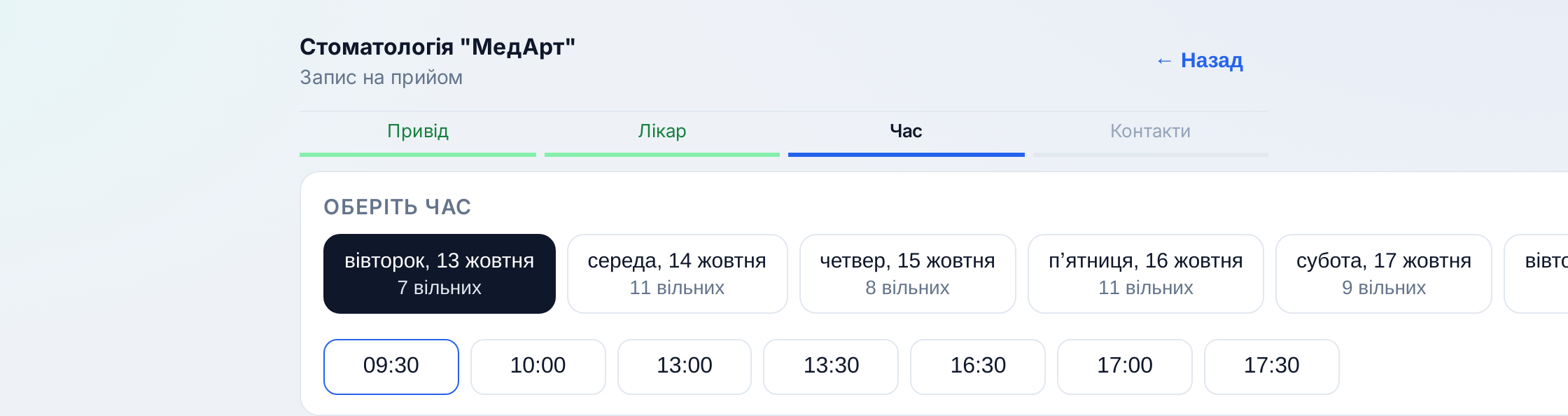
Online booking and patient portal
Patients pick a free slot on the clinic website, and confirmations and reminders arrive in Telegram. In their own portal they see their visits, treatment plan and payments.
- Free slots based on the real schedule and doctor shifts
- Confirm or “reschedule” a visit via Telegram
- Patient portal: visits, treatment, invoices
- New requests go to the front desk for confirmation
Transparent billing with patients
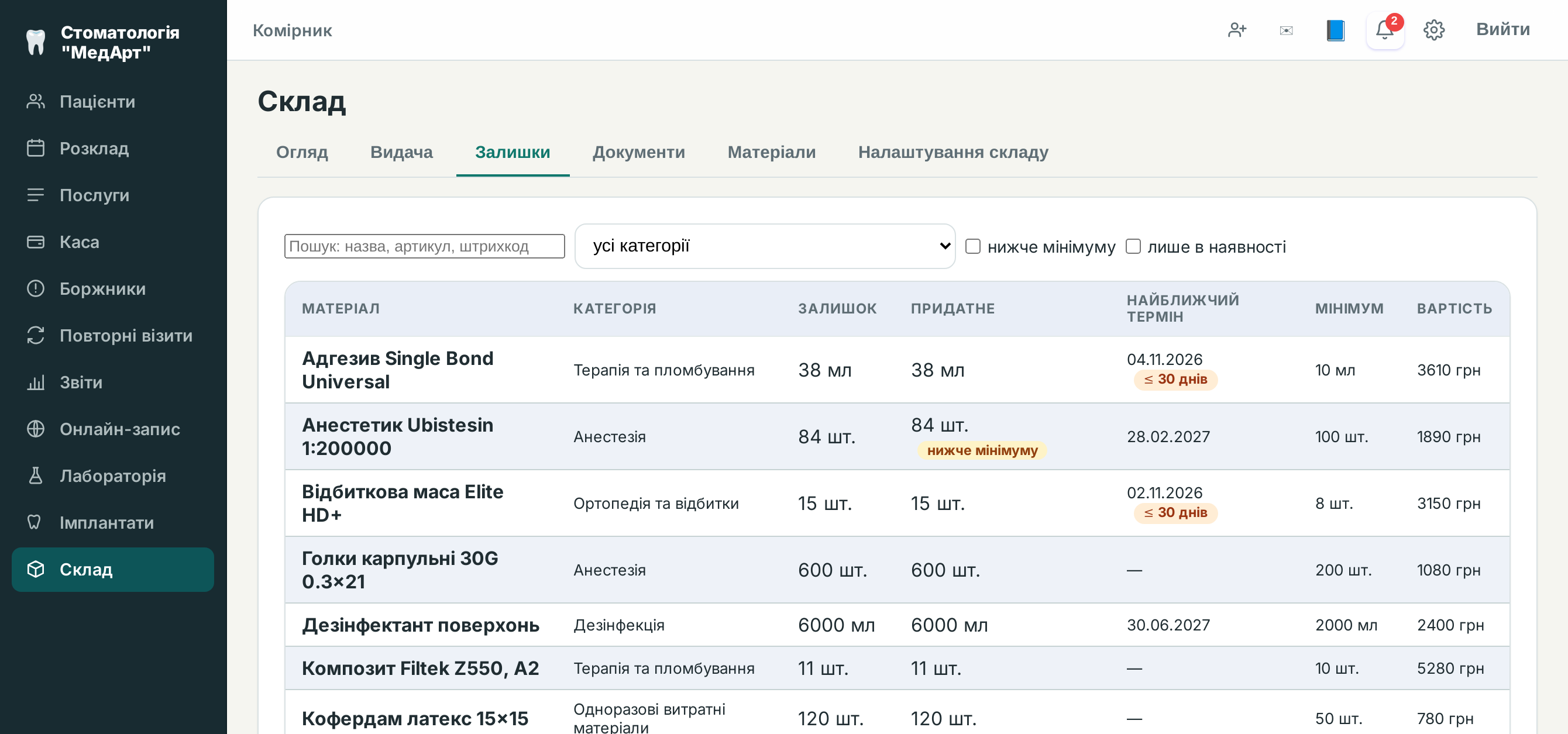
Invoices are created from visit services or the treatment plan. Payments, prepayments, refunds, discounts — and you always see who owes what.
- Cash shifts and payments by method
- “Debtors” workspace with contact notes
- Cancel an invoice without losing the payment
- Reports: revenue, debts, services, doctors, rooms
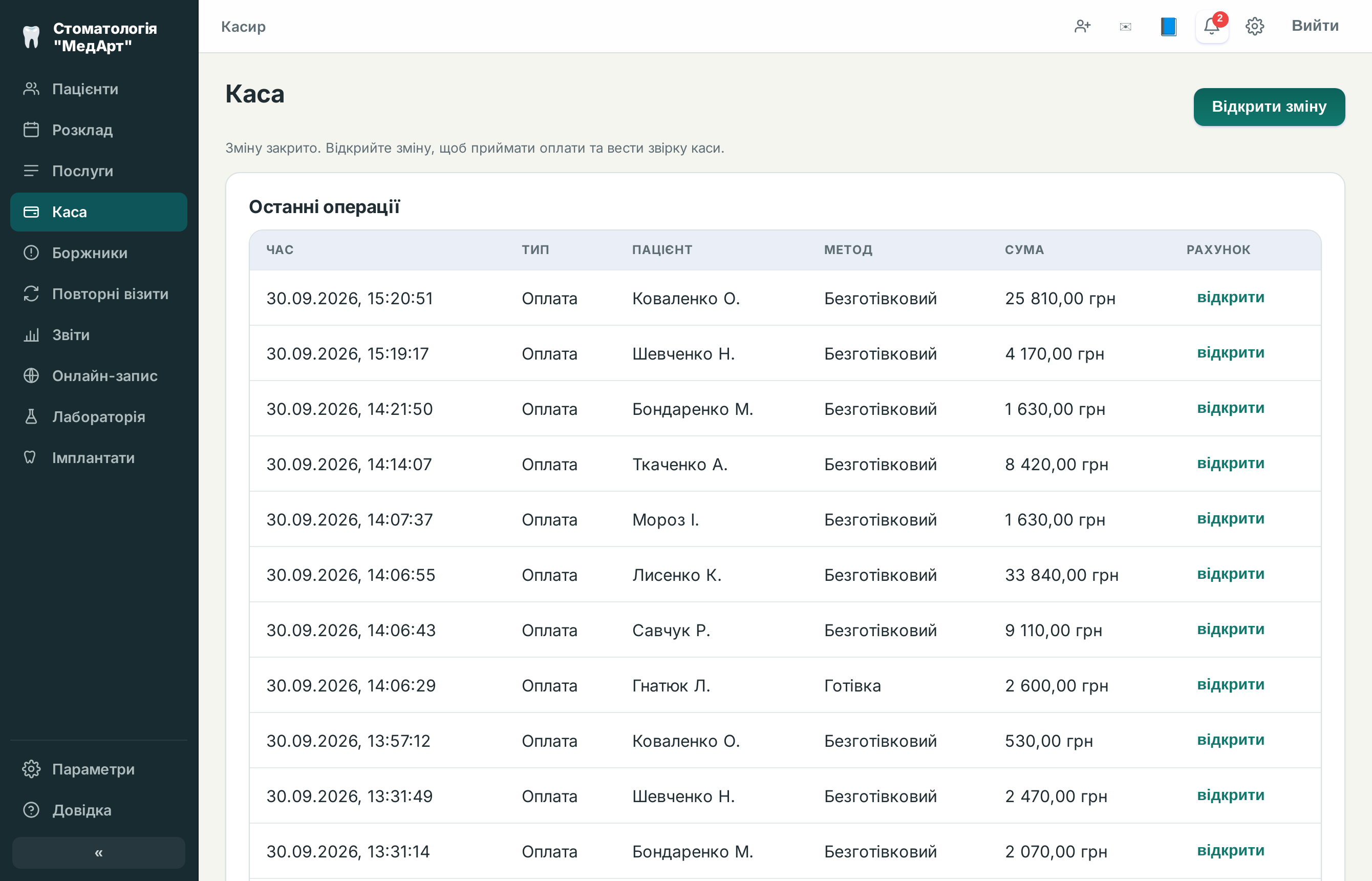
Paperless lab work orders
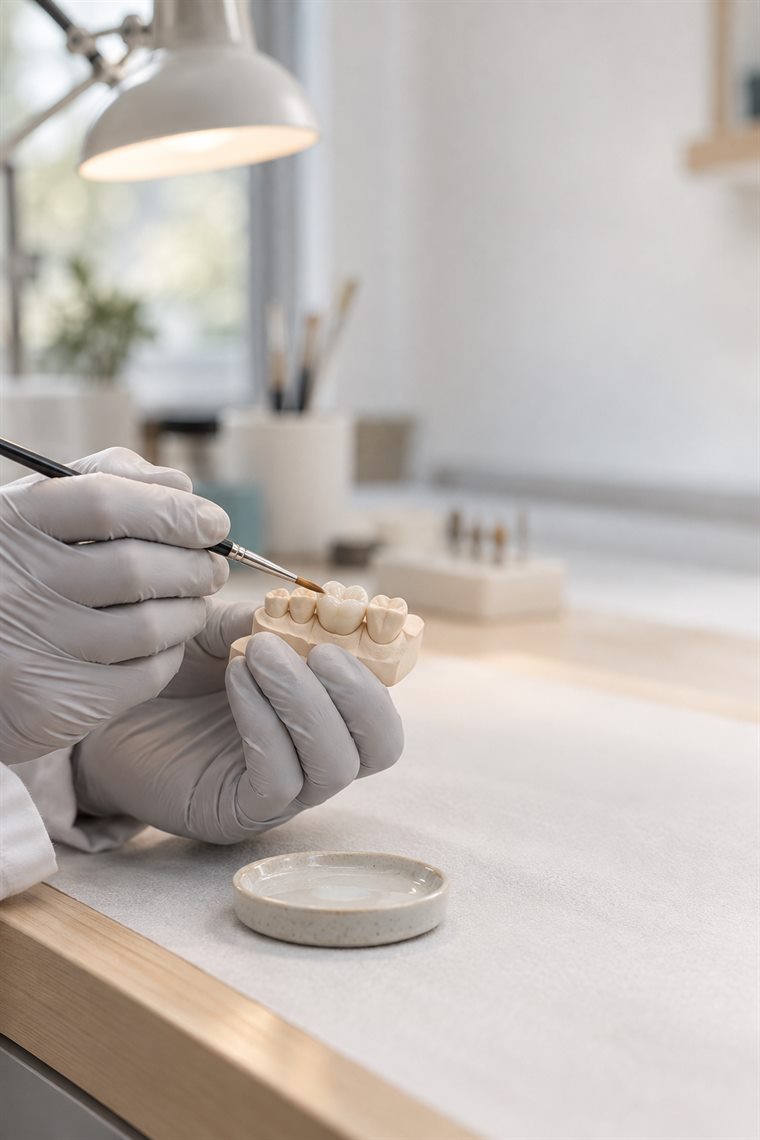
The doctor creates a work order right from the visit: work type, teeth, material and shade, implant, items sent. The technician sees their orders and tracks them by status.
- “Technician” role and two-way notifications
- Files (STL, photos, CT) and a quality-control checklist
- Print the work order to Word
- Unsaved orders don't linger as drafts

Materials under control
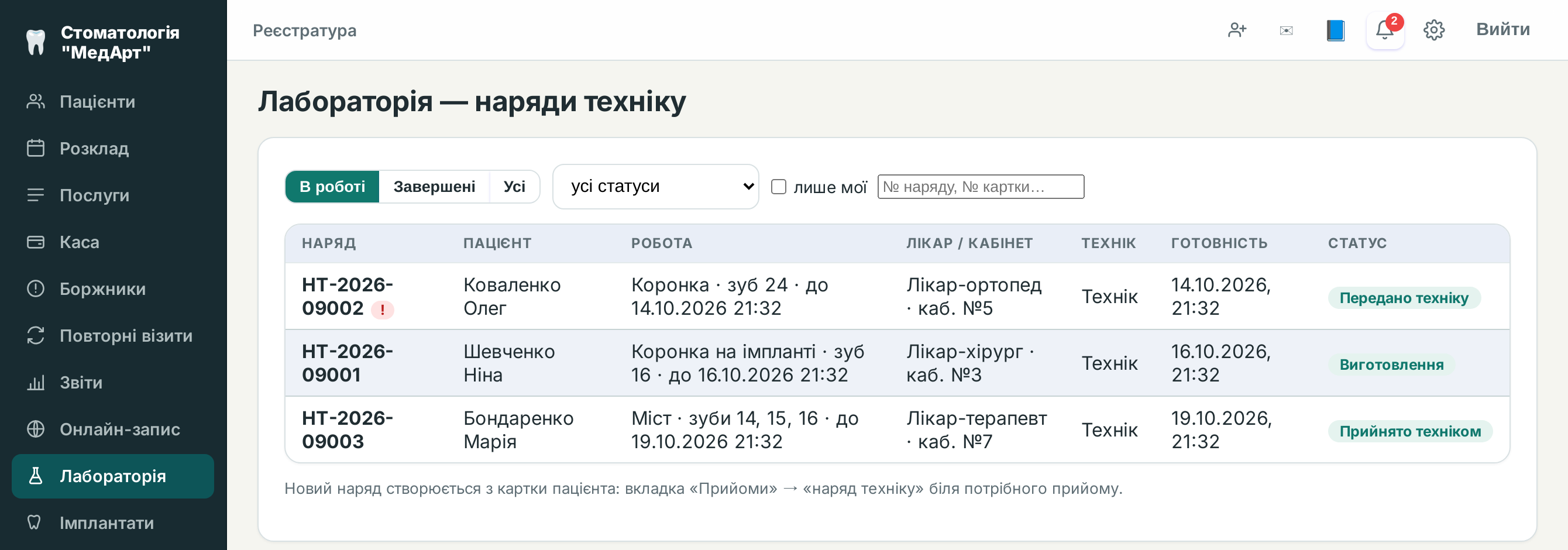
The front desk issues materials to a treatment room — they are written off stock at once, and the history shows what, how much, where and to whom. Batches, expiry dates and purchase prices.
- Receipts, issues, write-offs, returns, reversals
- Expired items aren't issued — earliest expiry goes first
- Issue history by room and staff member
- Enabled separately once inventory is set up
Everything your clinic needs every day
Categories, service bundles, scheduled percentage price changes, price history, price list printing.
Revenue, debts, services, patients, doctors, rooms — with export to Excel.
Consent forms, completion certificates, medical forms and prescriptions from clinic templates.
A bell for staff: new work orders, price changes, events that concern you.
We migrate your database from any software or Excel: patients, charts, invoices, inventory — anything that can be exported.
Encrypted database backups, verification and restore.
Updates with release notes and the option to roll back to the previous version.
For “it doesn't work for me” cases: staff steps, errors and server responses.
Who hasn't visited in a while, who's due for hygiene or a check-up — the list builds itself based on clinic rules.
Gum condition chart at six points per tooth, with a diagnosis by classification.
Short “how it works” tips in every section — so new staff get up to speed fast.
One workday — one connected flow
- 1Booking in the schedule
- 2Visit and medical records
- 3Services and treatment plan
- 4Invoice and payment
- 5Reports for management
Everyone sees their part of the work
Menus and buttons depend on permissions: doctors aren't distracted by cash settings, the front desk by medical details.
Own schedule, visits, dental chart, treatment plan, lab orders — under their own name.
Chairside support: records, services, patient files and images.
Patient booking, charts, invoices and payments, issuing materials to treatment rooms.
Work orders from treatment rooms, production stages, quality control, messaging with the doctor.
Reports, price list, inventory, clinic settings and the full picture of operations.
Financial reports, cash desk, inventory value — without access to medical records.
Medical data, protected
Not just “sections”: view, create, edit, delete and print are set separately. Configured right on the pages.
Team roles plus individual exceptions for specific staff members.
Who changed what and when — in medical, financial and inventory records.
Clinic data never mixes with others; a secure server in Germany and a database backup before every update.
We'll migrate your database — from any software
Using other dental or accounting software, or Excel? We migrate everything that can be exported — and your clinic keeps working without downtime or manual re-entry.
Full names, phone numbers, dates of birth, notes, visit and treatment history, dental charts.
Invoices, payments, debts and prepayments — with balance reconciliation so nothing gets lost.
Material catalog and opening stock from your accounting software.
Services and prices, staff, rooms and upcoming appointments.
The system grows with your clinic
New features roll out in stages and are tested on a staging server before going live. Plans may change.
Done
Roles and per-employee exceptions: view, create, edit, delete and print — each set separately.
Booking from the clinic website into free slots; a personal patient portal with visits and invoices.
Visit reminders, one-tap confirm or reschedule, appointment booking.
Calculated from closed visits by clinic rules, with bonuses, deductions and export to Excel.
Receipts, issuing to rooms, batches and expiry dates, stock migration from other software.
Work orders and production stages — and the schedule warns if the work won't be ready by the appointment.
What each patient has and from which batch — and who is affected by a batch recall.
Gum condition chart at six points per tooth, with a diagnosis by classification.
Lists for hygiene, check-ups and lapsed patients, plus follow-up notes after the call.
New prices from a chosen date; visit discounts are saved and printed on the invoice.
An extra code for users with admin rights.
Staff steps for quick support, plus a guide for every section.
A new version with release notes — the clinic admin installs it at a convenient time.
Next up
Stock counts with approval of differences, restock requests, supplier orders.
“Running low” and “expiring soon” — sent to the responsible staff's bell.
Visit reminders and confirmations for patients who don't use Telegram.
Saved plan templates for typical cases — no need to start from scratch every time.
Planned
X-rays and CT scans flow automatically into the patient chart from intraoral sensor and CT software.
Fiscal receipts via Checkbox right from the app's cash desk (Ukraine).
Integration with Ukraine's national electronic health system (ESOZ).
Rent, materials, contractor services — and clinic profit in reports.
The same visit reminders and confirmations for patients who use Viber.
The essentials in brief
We use other software. Can we migrate our data?
Yes. We migrate your database from any dental or accounting software, or from Excel: patients and charts, treatment history, invoices and debts, inventory, price list — anything that can be exported. We handle the migration while your clinic keeps working.
How do I get access?
Your clinic administrator creates your account. Then you select your name from the list on the login page and enter your password.
Why can't I see a section?
Sections are available based on your role's permissions, and some modules (e.g. inventory) are enabled by the clinic separately. If something you need is missing, contact your administrator.
Something isn't working. What should I do?
Tell your administrator what happened and when. In the “Activity log” they'll see your steps and the server response — no need to explain every click.
Can I accidentally damage the data?
Important actions require confirmation; posted documents can't be edited, only corrected with a separate document. All changes are recorded in the audit log, and the database is backed up regularly.
Where is patient data stored?
On a secure DentaViro server in a data center in Germany (EU), in a separate database for each clinic. Access is limited to clinic staff with an account and the right permissions.
Want the same for your clinic?
Leave a request — we'll call you, give you a demo and help you get set up.